
Download SharedSafe – Secure File Storage Tool for Windows, Mac, Android & iOS
SharedSafe is a powerful and secure file storage tool designed for Windows users, developed by rootloft GmbH. This innovative utility allows users to protect sensitive documents, photos, and folders by encrypting them and securely sending them to their email account. Unlike traditional cloud storage, SharedSafe leverages your existing email provider—Gmail, Outlook, Yahoo, or others—as a private vault.
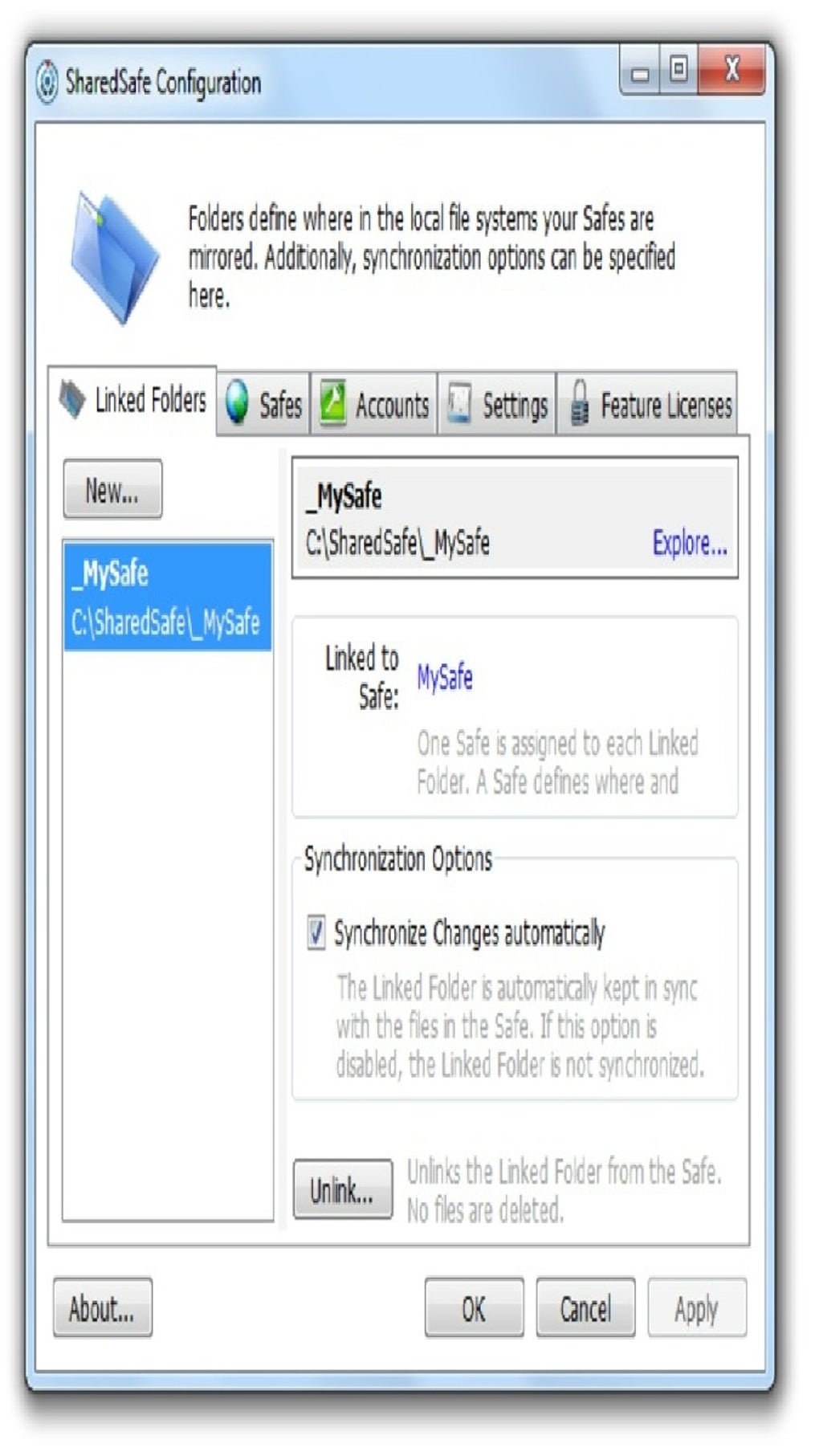
With just a right-click, you can encrypt and upload files directly from your desktop, making it ideal for individuals and professionals who value both convenience and data privacy. The application integrates seamlessly with Windows, offering a minimalistic interface and real-time synchronization. Whether you're backing up critical files or sharing confidential information, SharedSafe ensures your data remains encrypted and inaccessible to unauthorized users.
Its unique approach to file storage combines encryption, email integration, and ease of use, making it a standout choice among free, secure software tools.
Secure File Encryption and Email-Based Storage
One of the standout features of SharedSafe is its robust encryption mechanism, which ensures that your files remain private and secure. When you select a file or folder for storage, the app uses advanced encryption protocols to protect your data before it’s sent to your email. This means that even if someone gains access to your inbox, they won’t be able to open or view your files without the decryption key. The encryption process happens locally on your device, so your data never leaves your computer unsecured. This level of control gives users peace of mind, especially when dealing with sensitive information such as financial records, personal documents, or confidential work files.
What makes SharedSafe truly unique is its use of email as a storage medium. Instead of relying on third-party cloud services, it uses your existing email account—Gmail, Outlook, Yahoo, or any IMAP-compatible provider—as a secure vault. This approach eliminates the need to manage multiple cloud subscriptions and reduces the risk of data breaches associated with centralized cloud platforms.
Files are stored as encrypted attachments, and you can retrieve them anytime by downloading and decrypting them using the same app. The integration with Windows is seamless: a right-click context menu option allows you to instantly encrypt and send files with just a few clicks. This simplicity makes SharedSafe an excellent choice for users who want a secure, no-frills file backup solution without the complexity of traditional cloud tools.
Additionally, SharedSafe supports automatic updates, ensuring that the app always runs the latest version with the most up-to-date security patches. The developers at rootloft GmbH are committed to maintaining a secure and reliable product, regularly auditing their code and responding to user feedback. For those concerned about privacy, there’s no data collection or tracking—your files and metadata remain strictly private. This makes SharedSafe not only a secure tool but also a trustworthy one for long-term use.
Easy Installation, Intuitive Usage, and Cross-Platform Access
Getting started with SharedSafe is straightforward and requires minimal technical knowledge. The download is available for free from the official website, and the installation process is quick—typically taking less than a minute. Once installed, the app runs quietly in the background, integrating directly into your Windows File Explorer. You’ll notice a new option in the right-click context menu: “Send to SharedSafe.” This simple addition streamlines the workflow, allowing you to encrypt and send any file or folder with just a few clicks. There’s no need to open a separate interface or navigate complex settings—everything is accessible through familiar Windows actions.
After installation, you’ll be prompted to link your email account. SharedSafe supports IMAP-based providers, so it works with Gmail, Outlook, Yahoo, ProtonMail, and most other major email services. The setup process is secure and encrypted, with no password stored on the app’s servers.
Once connected, you can begin encrypting and sending files immediately. The app also allows you to set up multiple email accounts, making it ideal for users who manage both personal and professional emails. Each file is stored as an encrypted attachment with a unique identifier, so you can easily track and retrieve your data later.
For users on other platforms, SharedSafe offers mobile apps for both Android and iOS, ensuring that your files are accessible from anywhere. The mobile versions mirror the desktop experience, allowing you to decrypt and view files on the go. Whether you're at home, in the office, or traveling, your data stays secure and within reach. The app also supports automatic syncing across devices, so any changes you make on one platform are reflected on others. This cross-platform compatibility makes SharedSafe a versatile tool for modern users who rely on multiple devices throughout their day.
Pros and Cons of Using SharedSafe
- Pros:
- End-to-end encryption for maximum data privacy
- Uses your existing email account as a secure vault—no extra cloud storage needed
- Seamless integration with Windows via right-click context menu
- Free to download and use with no hidden fees
- Available for Windows, Mac, Android, and iOS
- Automatic updates ensure security and performance improvements
- No data collection or tracking—user privacy is prioritized
- Cons:
- Relies on email provider’s storage limits (e.g., Gmail’s 15GB cap)
- Requires an active internet connection for file uploads and downloads
- Not ideal for very large files due to email attachment size restrictions
- Limited to IMAP-compatible email accounts
- Mobile app features are slightly more basic than the desktop version
Frequently Asked Questions (FAQ)
Is SharedSafe free to use?
Yes, SharedSafe is completely free to download and use. There are no subscription fees, ads, or hidden charges. The developers at rootloft GmbH offer the core features at no cost, making it accessible to everyone who values secure file storage.
Can I use SharedSafe with Gmail or Outlook?
Absolutely. SharedSafe supports all major IMAP-compatible email providers, including Gmail, Outlook, Yahoo, ProtonMail, and others. You can link any of these accounts to use them as your secure storage vault.
How secure is SharedSafe?
SharedSafe uses end-to-end encryption, meaning your files are encrypted on your device before being sent to your email. Only you can decrypt them with the app, and no one—including the developers—can access your data.
Does SharedSafe work on Mac and mobile devices?
Yes, SharedSafe is available for Windows, Mac, Android, and iOS. The mobile apps allow you to access and decrypt your files on the go, ensuring your data is always within reach.
What happens if I delete a file from my email?
If you delete an encrypted file from your email, it will no longer be accessible through SharedSafe. It’s recommended to keep a backup of important files or use the app’s sync features to maintain access.
Conclusion: A Smart, Secure, and Simple File Storage Solution
SharedSafe stands out as one of the most innovative and secure file storage tools available today. By combining end-to-end encryption with the convenience of email-based storage, it offers a unique solution that’s both powerful and easy to use. Whether you’re a student, freelancer, or business professional, SharedSafe helps you protect your sensitive files without the complexity of traditional cloud services. Its seamless integration with Windows, support for multiple platforms, and commitment to user privacy make it a top choice for anyone seeking a reliable, free, and secure software tool.
With regular updates, strong encryption, and a user-friendly interface, SharedSafe delivers real value. While it does have some limitations—like email storage caps and size restrictions—it remains a highly effective solution for most users. If you’re looking for a way to securely store and share files without relying on third-party cloud platforms, download SharedSafe today and take control of your data privacy.
Download SharedSafe now and experience secure, hassle-free file management—free, fast, and built for privacy.







